As an Amazon Associate this site earns from qualifying purchases.
If you wear glasses and you're searching for the truth about the sony mdr 7506 long editing sessions glasses combo, here's the short answer: the MDR-7506 is one of the most accurate, detail-revealing closed-back monitors you can buy for under $130, but its stock vinyl-style earpads press the temple arms of your frames into your skull within about 45 minutes. The headphones themselves are excellent for podcast editing — voices sit forward, sibilance is exposed, room rumble is obvious. The fit, however, is a problem you have to actively solve before they become a comfortable all-day editing tool over eyeglasses.
This guide walks through why the 7506 has stayed on broadcast desks since 1991, what specifically goes wrong when you wear them over glasses for a four-hour edit, and the inexpensive modifications that turn them into a genuinely glasses-friendly editing headphone. We'll also cover when you should look at a different headphone entirely.
Why the MDR-7506 Still Dominates Podcast Editing Booths
The Sony MDR-7506 was designed in 1991 as a field-monitoring headphone for broadcast and film crews, and the driver tuning has not been meaningfully changed since. That stability is the point. When an editor at NPR, a dialogue mixer in Burbank, and a podcaster in a spare bedroom all reference the same 7506, they hear roughly the same midrange. That reproducibility is rare at this price.
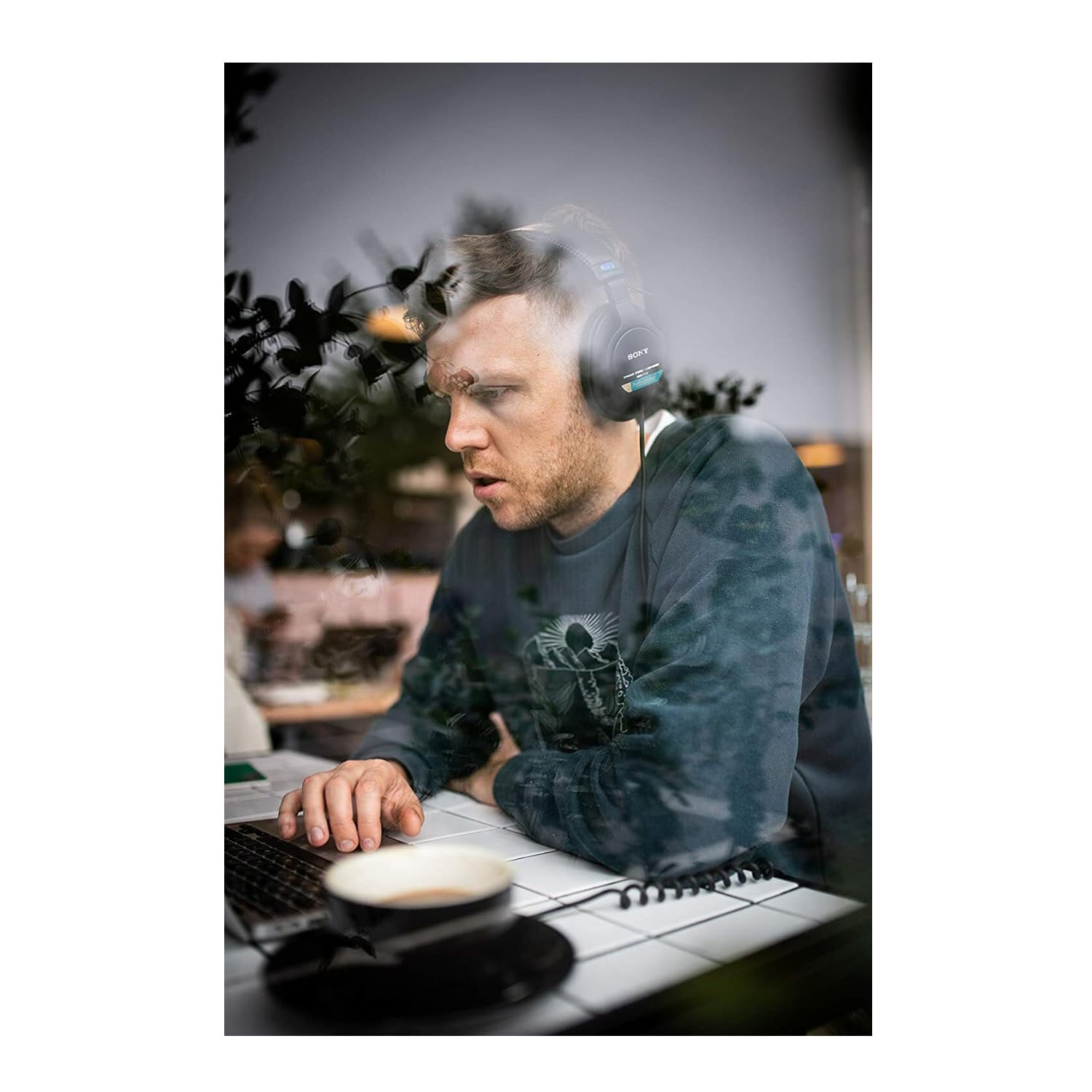
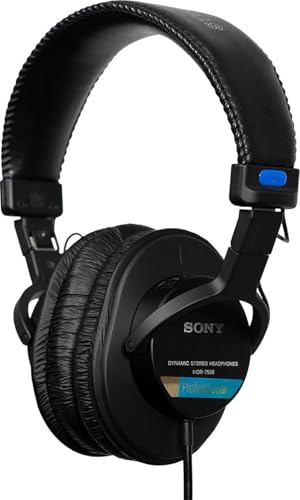
- Neodymium magnets and 40 millimeter drivers for powerful, detailed sound.Specific uses for product : Professional audio system,Home audio system
- Closed ear design provides comfort and outstanding reduction of external noises
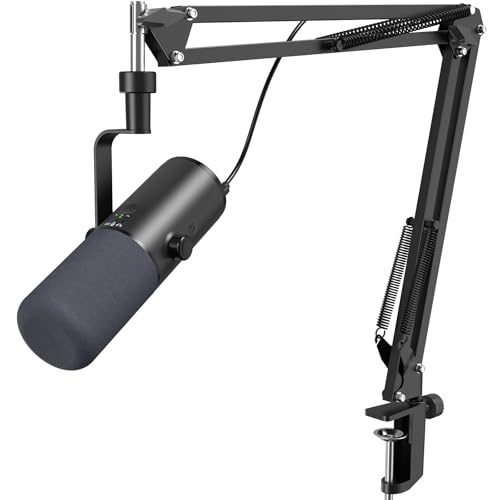
- Three Audio Enhancement Modes: Supports three distinct audio enhancement modes:Bass Roll-off mode, Vocal Clarity Mode and Mid-Range Emphasis. Easily select the appropriate EQ mode
- AI Noise Reduction: Enable AI noise reduction to filter background noise. Deliver clearer audio by eliminating low-frequency noise from your recordings
Comparison: Stock vs. Modified vs. Alternative for Glasses Wearers
| Configuration | Comfort over glasses (4-hr edit) | Sound accuracy | Approx. total cost | Best for |
|---|---|---|---|---|
| MDR-7506 stock | Poor — temple welts within 45 min | Reference | $110 | Short tracking sessions only |
| MDR-7506 + velour pads | Very good | Slightly softer treble | $140 | Long editing passes, dialogue work |
| MDR-7506 + hybrid pads | Good | Near-reference, slight bass lift | $145 | Editors who also mix music |
| Open-back alternative (e.g. HD 560S) | Excellent | Different signature, less isolation | $200 | Quiet home offices, no bleed concerns |
For long-form spoken-word editing, three traits matter more than frequency-response charts:
- Midrange honesty. The 7506 has a slight presence bump around 5–7 kHz that exposes mouth clicks, plosives, and sibilant esses. You hear the problems you need to cut.
- Closed-back isolation. Around 20 dB of passive attenuation means you can edit next to a noisy laptop fan or a window-AC unit without bleed coloring your decisions.
- Detachable cable longevity. Well, almost — the coiled cable is hard-wired, but parts (pads, headband foam) are still stocked by Sony 35 years later. You can keep a pair alive for a decade of editing.
The Real Problem: Sony MDR 7506 Long Editing Sessions Glasses Pressure Points
The MDR-7506 ships with thin pleather (technically PVC) earpads wrapped over hard foam. The clamping force from the headband is moderate — not crushing, but firm. When you add the temple arms of glasses to that equation, the arms get sandwiched between the pad and your skull, creating two sharp pressure lines that run from your temple to behind your ear.
For a 20-minute monitoring session while tracking, this is invisible. For a three-hour editing pass where you're scrubbing through a two-host interview, the pressure becomes the only thing you can think about. The skin over your temples develops a red welt, and many editors report headaches that start at the temple and radiate forward.
This is not a 7506-specific defect — it happens with most closed-back monitors that use thin, hard-foam pads. But because the 7506 is the headphone most commonly recommended to new podcasters, it's the one most commonly returned or shoved in a drawer by glasses-wearing editors.
Three Modifications That Fix the Fit
1. Replace the Stock Pads with Velour or Hybrid Pads
This is the single highest-impact change. Aftermarket velour pads (Brainwavz, Dekoni, and Yaxi all make 7506-compatible versions) are deeper, softer, and breathable. The deeper cavity means your ear doesn't touch the driver baffle, and the softer foam compresses around the temple arms of your glasses instead of pinching them. Hybrid pads — leather on the outer ring, perforated fabric on the contact surface — split the difference, retaining most of the bass extension while easing the pressure.
Expect a small treble reduction (roughly 1–2 dB above 6 kHz) with velour pads. For editing dialogue this is often welcome — the stock 7506 can feel fatiguing on long sessions because of that presence bump.
2. Stretch the Headband
The 7506 headband retains its set shape. If you store the headphones overnight stretched across a stack of three hardcover books (or a wider-than-your-head box), the clamping force drops noticeably after two or three nights. You're not breaking the spring steel — you're letting the plastic yoke relax. Don't overdo it; you still need enough clamp for isolation.
3. Use Thin-Arm Glasses or Cable-Style Frames
If you have flexibility in your eyewear, thin wire frames or cable temples (the kind that curl behind the ear) eliminate the pressure-line problem almost entirely. Acetate frames with 5mm+ temple arms are the worst offenders. This isn't a viable suggestion for everyone, but if you're due for new frames anyway, ask your optometrist for the thinnest temple arms compatible with your prescription.
What Editing Actually Sounds Like on the 7506
For dialogue editing, the 7506 reveals problems other headphones smooth over. Mouth clicks at -45 dBFS are audible. Room tone mismatches between two recorded sessions stand out within seconds. Plosives that snuck past a pop filter show up as distinct low-end thuds. If you're new to editing, this is initially overwhelming — you'll hear flaws you didn't know existed — but it's exactly what you want from a monitoring tool.
The downside is fatigue. That presence bump that exposes sibilance also tires the ears over multi-hour sessions. Many experienced editors run the 7506 for the first edit pass (catch the problems) and a flatter pair of monitors or open-backs for the final mix pass (judge tonal balance without the bias).
When the 7506 Is the Wrong Choice
Despite the cult following, the 7506 is not universally correct for podcast editing over glasses. Skip them if:
- You edit in a quiet home office and don't need isolation. An open-back like the Sennheiser HD 560S or HD 600 is dramatically more comfortable for long sessions and gives a more honest tonal picture for mixing.
- You wear heavy acetate frames you can't change. Even with velour pads, very thick temple arms will create some pressure. A larger over-ear cup (the Audio-Technica ATH-M50x or Beyerdynamic DT 770 Pro) may clear the frames better.
- You're sensitive to upper-mid energy. Some listeners find the 7506 outright harsh. There's no EQ fix that fully addresses this without undoing the reason you bought them.
For a head-to-head with the most common alternative, see our breakdown of the Audio-Technica ATH-M50x vs Sony MDR-7506 comparison — the M50x has a deeper earcup that often clears glasses arms more easily, at the cost of a slightly less revealing midrange.
Setting Up a Glasses-Friendly Editing Station
Headphones are one variable. The other is the rest of the chain. For long editing sessions specifically, three things matter:
Headphone amp output. The 7506 is 63 ohms and reasonably sensitive — it runs fine off a laptop, but a dedicated interface output gives you cleaner volume control. If you haven't picked one yet, our best audio interfaces 2026 roundup covers options from the $100 Scarlett Solo up through Apollo Twin territory.
Monitoring level discipline. Long sessions tempt you to crank the volume to catch every detail. Resist. Edit at conversational speaking volume (roughly 65–70 dB SPL at the ear) and use solo-instance loud passes only when checking specific edits. Your ears stay fresh and your editing decisions stay consistent across the session.
Room acoustics. Even with closed-backs, you're hearing some of the room through the cup. A reflective room makes the 7506's treble feel harsher. Our reduce echo home studio tips guide covers cheap fixes — blankets, bookshelves, a single panel behind the listening position — that take the edge off without a full treatment budget.
The Pad-Swap Walkthrough
If you've decided to attack the sony mdr 7506 long editing sessions glasses problem with new pads, the swap takes about three minutes per cup. Work the lip of the stock pad off the plastic retaining ring (start at the top, work clockwise), and clean the ring with a microfiber cloth. The aftermarket pad stretches over the ring the same way. There's no glue, no tools, no risk of damaging the driver. If you decide you don't like the new pads, the stock ones go back on identically.
Most third-party pads ship with foam inserts. Keep them in for the closest-to-stock sound, remove them for a slightly more open, airier presentation. For dialogue editing, leaving them in is usually correct.
How Long Should a Pair of 7506s Last?
Treated reasonably — stored on a stand, cable coiled loosely, pads replaced every 18–24 months — a 7506 routinely lasts 10+ years of daily editing use. Sony still stocks replacement headband foam, the coiled cable, and the driver assemblies. The most common failure point is the cable strain relief at the left cup, which can be reinforced with a small piece of heat-shrink tubing if you notice the jacket cracking.
For broader gear-care principles that apply across your studio, our maintain podcasting equipment longevity guide covers storage, cable handling, and humidity considerations that meaningfully extend hardware lifespan.
Frequently Asked Questions
Are Sony MDR-7506 headphones comfortable for people who wear glasses during long podcast edits?
Out of the box, no — the thin stock pleather pads press the temple arms of glasses into your skull and most editors develop a temple welt within about 45 minutes. With a $20–30 velour or hybrid pad swap, however, the 7506 becomes genuinely comfortable for four-hour sessions over glasses, because the deeper, softer foam compresses around the frame arms instead of pinching them.
Will replacing the pads on the MDR-7506 ruin the sound for editing?
It changes the sound modestly but not destructively. Velour pads typically reduce treble by about 1–2 dB above 6 kHz and may slightly loosen the bass. For dialogue editing, that softer treble is often welcome because it reduces ear fatigue across long sessions. Hybrid leather/perforated pads stay closer to the stock signature if you want minimum tonal change.
How does the MDR-7506 compare to the ATH-M50x for editing over glasses?
The M50x has a deeper, more accommodating earcup that often clears glasses arms with less pressure than the stock 7506. The trade-off is sound character: the M50x has a more pronounced bass and recessed upper mids, which is less revealing for catching dialogue problems. Many editors prefer the 7506 with aftermarket pads over the M50x for spoken-word work.
Can I use the MDR-7506 for both tracking guests and editing the episode later?
Yes — that dual-use case is exactly what they were designed for. The closed-back design prevents bleed into the microphone during tracking, and the same accurate midrange that helps a vocalist hear their pitch helps you catch edit points later. Just keep monitoring levels reasonable; tracking often happens at higher volumes, and switching to editing without resetting your level discipline causes ear fatigue.
Do I need a separate headphone amp to drive the Sony MDR-7506?
No. At 63 ohms and 106 dB sensitivity, the 7506 runs comfortably from any modern audio interface headphone output, and even most laptop jacks reach usable volume. A dedicated amp gives you cleaner volume control and lower noise floor, but it's not a requirement for podcast editing. Spend the money on better pads or room treatment first.
Are there better closed-back headphones specifically designed for glasses wearers?
The Beyerdynamic DT 770 Pro has notably softer velour pads from the factory and a larger cup that clears most frames without modification. It costs about $50 more than the 7506 and has a more sculpted (less neutral) sound. For editors who don't want to swap pads, the DT 770 is the most popular straight-out-of-the-box alternative. Our best studio headphones recording 2026 guide covers several other options.
How often should I replace the earpads on the MDR-7506?
Stock pads typically start flaking after 18–24 months of regular use — the pleather coating cracks and sheds onto your ears. Velour and quality hybrid pads last 2–3 years before the foam compresses enough to lose comfort. Replacing pads is the cheapest possible upgrade and the one editors most often forget; if your old pair feels less comfortable than you remember, the foam has simply collapsed.
Key Takeaways
- Choosing the right sony mdr 7506 long editing sessions glasses means matching the key features to your specific needs and budget
- Read real customer reviews and check the return policy before you commit
- Also covers: mdr 7506 comfort glasses wearers
- Also covers: sony 7506 marathon editing
- Also covers: mdr 7506 podcast post production
- Compare value across models — the priciest option is not always the best fit