Yes, the Rode Wireless GO II is genuinely well suited to a solo vlogger walking busy city streets, provided you configure it correctly and add a furry windshield. The dual-channel transmitter pack, on-board 24-bit recording, and 200-meter line-of-sight range mean a one-person creator can capture clean lavalier audio above traffic, sirens, scooters, and crowd chatter without lugging a mixer. For the rode wireless go ii vlogger busy city streets use case, the magic combination is a deadcat over the clip-on capsule, the on-board backup recording armed, and a gain structure that respects the camera you are feeding. The rest of this 2026 guide walks through exactly how to make that setup sing on the sidewalk.
Why the Wireless GO II suits walking street vlogs
Walking vlogs are an unforgiving acoustic environment. You are moving past reflective glass storefronts, under scaffolding, beside idling buses, and through pockets of crowd noise that shift volume every few steps. A shotgun mic mounted on the camera cage will pick up everything you do not want: HVAC rumble from doorways, bouncing reflections from buildings, and the wind your own pace generates. A body-worn lavalier with a wireless transmitter solves the problem at the source by keeping the capsule six to ten inches from your mouth at all times. The Rode Wireless GO II is the system most solo creators reach for because the transmitter pack is also a microphone, which means there is no dangling cable, no extra clip, and nothing extra to hide under a jacket.
When shopping for rode wireless go ii vlogger busy city streets, it pays to compare specs, capacity, and real-world runtime before committing.



The second reason it dominates the category is internal recording. Each TX pack writes a 24-bit safety track to its onboard memory, independent of the wireless link. If a delivery truck rolls between you and the receiver in midtown and the RF signal briefly drops, the file on the transmitter keeps going. That single feature has rescued more solo street vlogs than any other accessory in the category, and it is the reason the rode wireless go ii vlogger busy city streets workflow has become a near-standard for handheld and gimbal-based creators.
Mounting the transmitter for clean street audio
Position the transmitter high on the chest, roughly a hand-width below your collarbone, with the built-in capsule angled up toward your chin. Clip it to a shirt placket, the strap of a chest rig, or the inside lapel of a light jacket — but never bury it under a scarf or a hoodie zipper, which will muddy the top end and amplify clothing rustle when you swing your arms. If you wear a thicker coat in cooler months, magnetic mounts give a more stable position than the spring clip, because they let the capsule sit on the outer face of the fabric while the body of the TX hides underneath.
The single most important accessory for sidewalk work is a furry windshield (often called a deadcat) over the on-board capsule. Without it, even a slow walking pace generates a low-frequency thump on the diaphragm every time you exhale or turn into a breeze coming down an avenue. With it, you can walk into a 15 mph headwind on an exposed bridge and still get usable audio. Skipping this $15 piece of fur is the most common mistake new street vloggers make.
Gain staging when your camera is the recorder
Most solo vloggers feed the Wireless GO II receiver into a mirrorless camera over a 3.5mm TRS cable. The trap here is double gain: the receiver has its own output level, and the camera has its own input level, and stacking them both high produces hiss and harsh transient distortion when a horn blows nearby. The right sequence is to set the receiver output to 0 dB, then bring the camera's manual audio input up until your normal speaking voice peaks around -12 dBFS on the camera's meters. Leave roughly 12 dB of headroom for the moment a fire engine passes or a kid screams behind you. If your camera has a safety track feature (dual-channel recording at different levels), enable it; it is the cleanest belt-and-suspenders option short of recording externally.
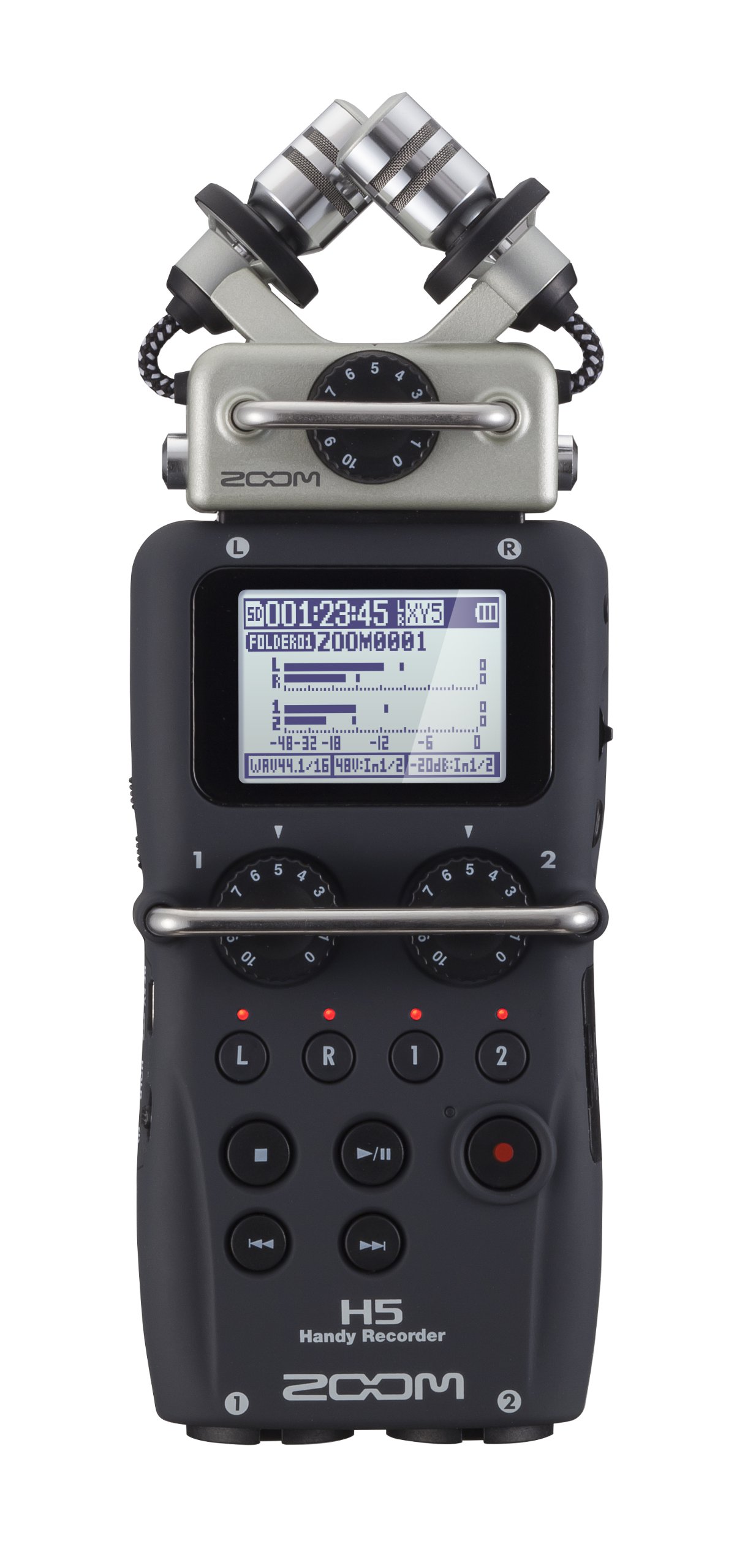
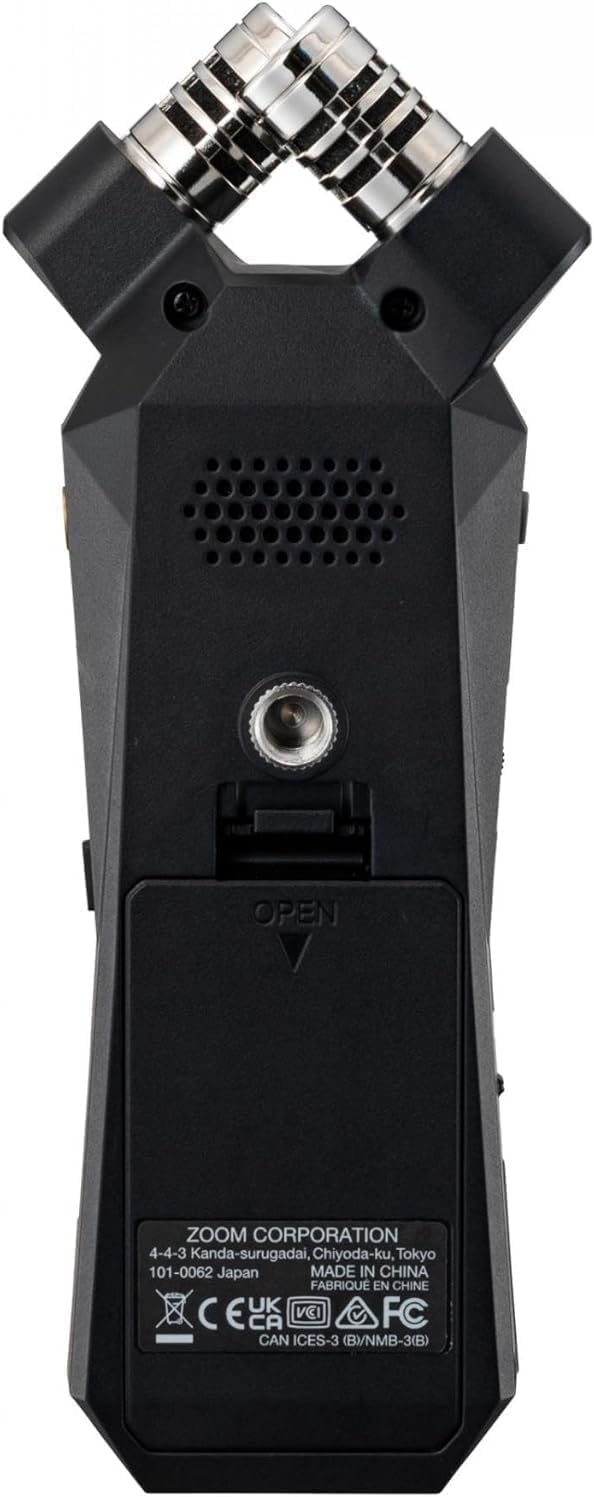
If you would rather sidestep camera preamps entirely, you can route the receiver into a small field recorder clipped to your camera cage or belt and sync in post. That is heavier than most walking creators want to carry, but it is the right answer if you are filming long-form documentary content. Our guide to the best portable recorders for 2026 covers compact options that pair well with the GO II receiver.
Range and obstruction in dense urban blocks
Rode quotes 200 meters of line of sight for the Wireless GO II. In a city, you will never see that number because line of sight does not exist between buildings, parked trucks, and your own body. Realistically you should treat the GO II as a 20-to-30 meter system when crossing a busy intersection, with brief dropouts possible whenever a large metal object passes between you and the receiver. Because the receiver typically sits on top of a camera you are pointing at yourself, the transmitter is rarely more than two meters away anyway, so range is not the bottleneck for a solo vlogger. The bottleneck is interference: heavily trafficked 2.4 GHz bands in transit hubs, stadiums, and convention centers can produce momentary glitches. This is the other reason the on-board safety recording matters so much — the wireless link is best treated as the monitoring path, not the master.
Handling specific city scenarios
Walking past idling buses and delivery trucks
Diesel idle sits at 30-80 Hz, which a lavalier capsule will dutifully capture. Engage the high-pass filter on the receiver (the GO II receiver has a built-in low-cut you can toggle), and follow up in post with a gentle shelf cut below 100 Hz. Do not try to bury the noise with aggressive denoising plug-ins — they will pull artifacts out of your voice. Cut the bottom and lift presence slightly instead.
Crossing intersections during sirens
You cannot duck a passing siren by riding gain in the moment. Either stop talking until it passes, then cut around it cleanly in the edit, or lean into it as content and let the city be part of the scene. Trying to talk over an ambulance is a recipe for unintelligible audio. The 24-bit recording on the TX gives you enough latitude to recover a normal speaking passage even if a peak briefly clips the camera-side track.
Subway entrances and tunnel mouths
Stairwells and tunnel mouths are reflective and bass-heavy. Move the transmitter slightly higher when you know you are walking into one, and reduce gain by 3-6 dB before you enter. Echoes hit the mic at the same level as your voice, so the cleaner your signal-to-reflection ratio, the easier the edit will be later. The same principles apply to indoor reverb spaces — our piece on reducing echo in untreated rooms covers the underlying physics if you want a deeper dive.
Crowded sidewalks and people approaching the mic
Passersby brushing your transmitter generate huge thumps. A foam windscreen plus a magnetic mount that keeps the TX flat against your chest both help. If you are filming during rush hour in a tight corridor, consider an external lavalier capsule plugged into the TX's TRS input and routed under your shirt — this hides the capsule and protects it from collision.
Battery, storage, and a realistic day of shooting
The GO II runs about 7 hours on a charge per transmitter, and the internal storage is enough for roughly 40 hours of compressed recording or about 7 hours of uncompressed 24-bit. For a solo walking vlogger, that means you can leave home in the morning, shoot a full day of B-roll and pieces to camera, and never plug anything in until you get back. Carry a small USB-C power bank in your jacket pocket and you can top up between locations without taking the transmitter off your shirt. Charge cables included in the kit are short; a 1-meter braided USB-C cable is a worthwhile $8 upgrade.
Editing the audio after the walk
Pull the 24-bit WAV off the transmitter as your master and sync it to your camera footage using waveform alignment in your NLE. From there, a light chain of high-pass at 80 Hz, a slow de-esser, a transparent compressor with about 3 dB of gain reduction on speaking passages, and a final loudness pass to around -16 LUFS for YouTube is usually all you need. Resist the temptation to apply heavy noise reduction; the city ambience is what makes a walking vlog feel like a walking vlog, and a bone-dry voice over street footage sounds uncanny. For broader post-production technique, our overview of improving audio quality is a good companion read even though it is framed around home studios.
When the Wireless GO II is not the right answer
If you are walking interviews where a second person is speaking on the other side of you, the GO II's two-transmitter design is exactly right. But if you are doing pure ambience work or you need a hyper-directional pickup of distant subjects, a shotgun on a boom or a handheld recorder with X/Y capsules is a better tool. The same is true for long-form field interviews in heavy wind, where a dedicated portable recorder with high-quality preamps, a windjammer, and a proper boom pole will outperform any clip-on lavalier. See our breakdown of outdoor field interview recording in wind for that scenario specifically.
Frequently Asked Questions
Does the Rode Wireless GO II need an external lavalier for vlogging on city streets?
No. The on-board capsule built into the transmitter is broadcast-grade and the right choice for most solo walking vloggers because it eliminates a cable run under your clothing. An external lavalier helps only when you want to hide the capsule entirely or you need to protect it from physical contact in crowded environments.
How do I stop wind noise on the Wireless GO II while walking outdoors?
Fit a furry windshield (deadcat) over the transmitter capsule and engage the receiver's high-pass filter. The foam cap included in the box is enough for indoor use, but it will not control wind outdoors. Pace and posture matter too — leaning slightly forward shields the capsule from a headwind.
Will the Wireless GO II clip on loud city sounds like sirens or horns?
It depends on which signal you trust. The wireless feed to your camera can clip if you have stacked the gain too high, but the 24-bit safety recording on the transmitter has enormous headroom and almost never clips on a passing siren. Use that file as your master in post and you will recover anything the camera-side track distorted.
How far can the Wireless GO II reach in a city before dropping out?
Rode rates the system at 200 meters of line of sight, but realistic urban range is closer to 20-30 meters once buildings, vehicles, and your own body get in the way. For solo vloggers this is rarely a problem because the receiver lives on the camera you are pointing at yourself, putting the transmitter within arm's reach.
Is the Wireless GO II better than a shotgun mic for street vlogging?
For a one-person walking vlog, yes. A shotgun mounted on the camera will pick up everything between you and the lens, including reflections off nearby buildings and the wind your own movement generates. A body-worn lavalier transmitter keeps the capsule close to your mouth at a consistent distance, which is the single most important factor in intelligible voice on a busy sidewalk.
Can I use the Wireless GO II with a smartphone instead of a camera?
Yes, with the right adapter. Rode sells a dedicated SC15 cable for USB-C phones and an SC19 for iPhones; both pass digital audio directly into the phone's recording app. This is a popular setup for creators who shoot vertical content on a smartphone gimbal while walking, and it avoids the 3.5mm-jack reliability issues that plagued earlier smartphone vlogging rigs.
Do I need to record a backup track when using the Wireless GO II?
Always enable the on-board 24-bit recording on each transmitter before you start walking. It costs you nothing, uses negligible battery, and has saved countless creators when an RF dropout or a camera-side clipping incident corrupted the primary track. Treat the wireless feed as a monitoring path and the on-board file as your master.
This article reflects our independent testing standards. See our editorial policy and affiliate disclosure for more on how we evaluate gear.
Key Takeaways
- Choosing the right rode wireless go ii vlogger busy city streets means matching capacity and output ports to your actual devices
- Always check actual watt-hours (Wh), not just watts — runtime depends on Wh, not peak output
- Also covers: wireless go ii urban vlogging
- Also covers: rode go ii street interview noise
- Also covers: best wireless lav loud city
- Compare price-per-Wh across models to find the best value for your budget